Choose and switch templates
Your template sets the overall look and layout of your website. Switching is safe to try: your colors, text, and photos carry over, so nothing you have customized is lost.
Switch templates
- From your dashboard, open Website Creator.
- Choose Design in the navigation. The Templates panel opens.
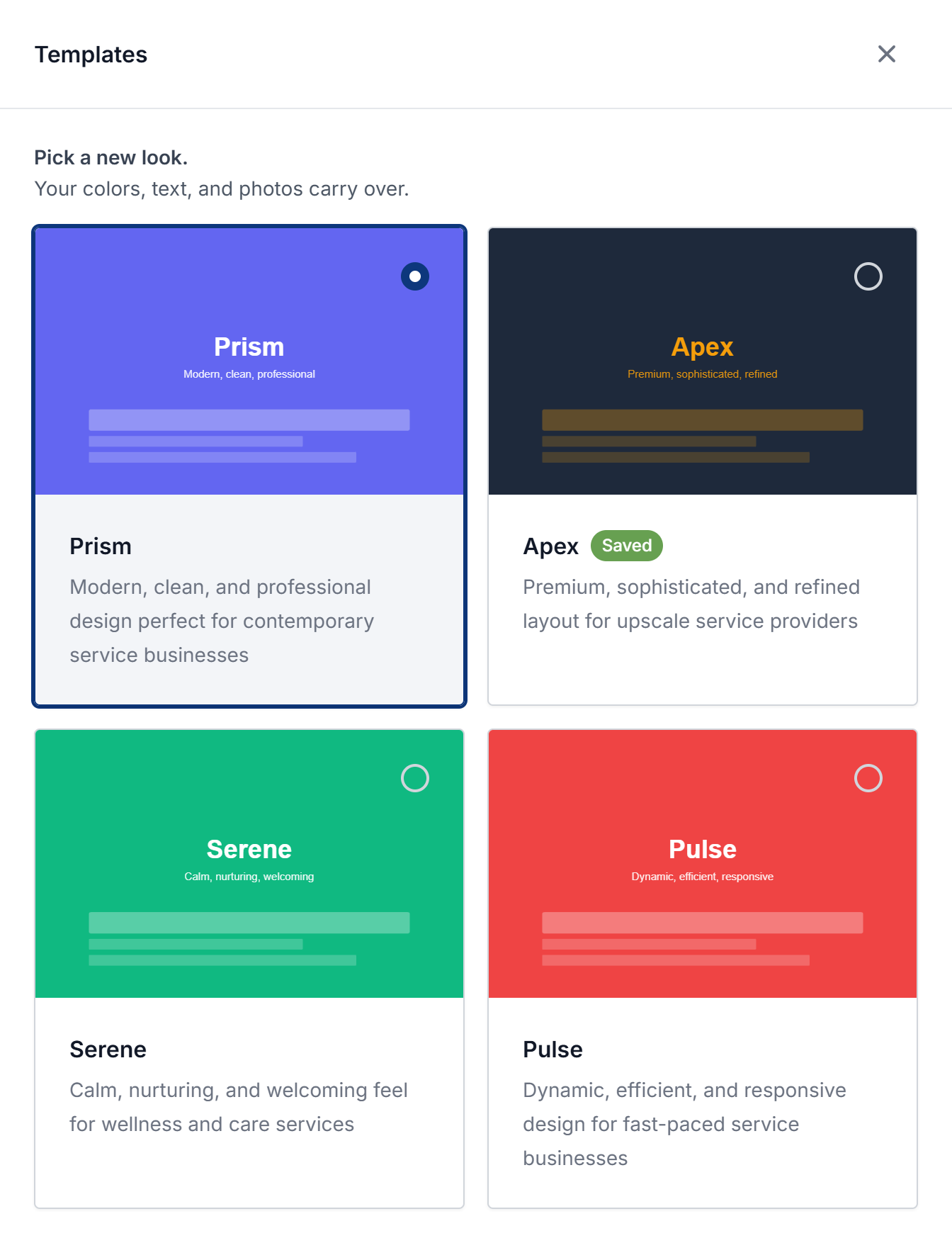
- Tap any template card. The preview beside the panel updates immediately so you can see your own content in the new look.
- Happy with it? Press Save changes in the bar that appears. Not sure? Tap the card marked Saved to go back to your current template, or press Discard.
Saving keeps the new template on your site's next version. Your live website only changes when you publish. See Publish your website.
The templates
- Prism: modern, clean, and professional, for contemporary service businesses.
- Apex: premium and refined, for upscale service providers.
- Serene: calm and welcoming, for wellness and care services.
- Pulse: dynamic and efficient, for fast-paced service businesses.
jugglix adds new templates over time, so you may see more than these.