How jugglix shows your website's visitors
Once your website is live, you want to know if anyone is finding it. jugglix tracks that for you automatically, from the moment you publish, with nothing to set up.
See how your website is doing
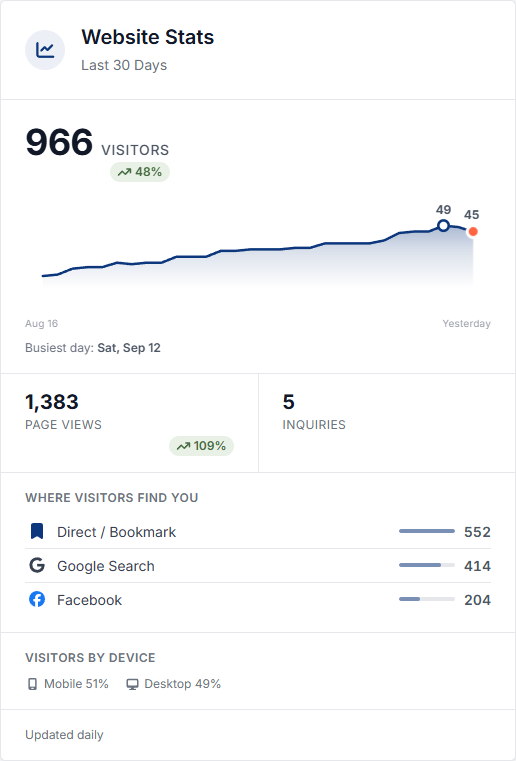
jugglix shows you how many times your site was viewed, how many visitors that was, and how many of them got in touch through your contact form. You can see whether those numbers are rising or falling, how visitors found you, and whether they are on a phone or a computer.
Nothing to set up
The moment your website goes live, jugglix starts counting. There are no tags to paste, no analytics account to open, and no dashboards to wire up. Your stats are waiting in your jugglix dashboard.
Private by design
jugglix counts visits without cookies and without storing anyone's personal details, so your website does not need a cookie banner for it. It cannot follow a visitor from one day to the next, and it honors the privacy signal a visitor's browser can send. You see the numbers, not the people.
Fresh every day
Your stats cover the last 30 days and refresh daily, so you can watch how a change to your site or a busy season moves the numbers.
jugglix turns your website from something you launched into something you can watch working, without turning your visitors into data.