How jugglix walks you through your setup
Signing up for a new tool usually means staring at an empty dashboard, wondering what to do first. jugglix does not leave you there. It gives you a short list of things to do and walks you through each one.
A short list of what to do next
Your dashboard shows your tasks: a handful of clear steps to get your business set up, like reviewing your services, setting where you work, and publishing your website. jugglix keeps them in one place, so you always know what is next.
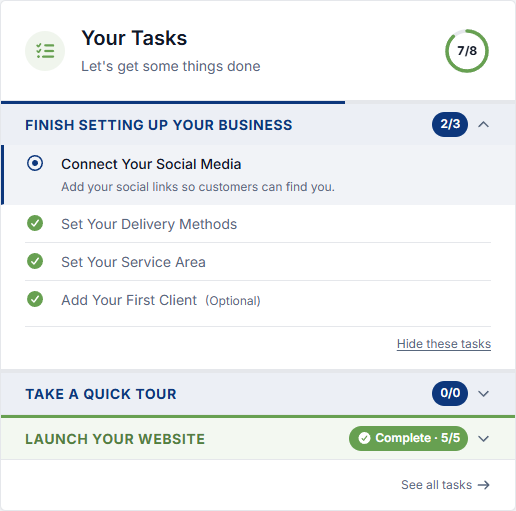
jugglix walks you through each one
Start a task and jugglix takes you to the right screen and tells you what to do, one step at a time. You are not hunting through menus or guessing, you are following a guide.
See your progress
jugglix tracks what you have finished, so you can see how far along you are and pick up where you left off. Finish everything and jugglix lets you know you are all set.
New features, guided too
jugglix keeps growing, and new features are included in your plan as they ship. When something new arrives, jugglix tells you what changed and can walk you through it the same way, so you always get the most out of it.
Do it your way
Not ready for a task yet? Hide it, and bring it back when you are. jugglix guides you without getting in your way.
jugglix turns getting started from a blank page into a short, guided list, so you spend your time running your business, not figuring out the software.